Building an Expressive Robot Face with Python and a Tiny OLED
How I built RoboEyes — a smooth, thread-safe animation engine that renders expressive robot eyes on a 128x64 OLED display, controllable via REST API.
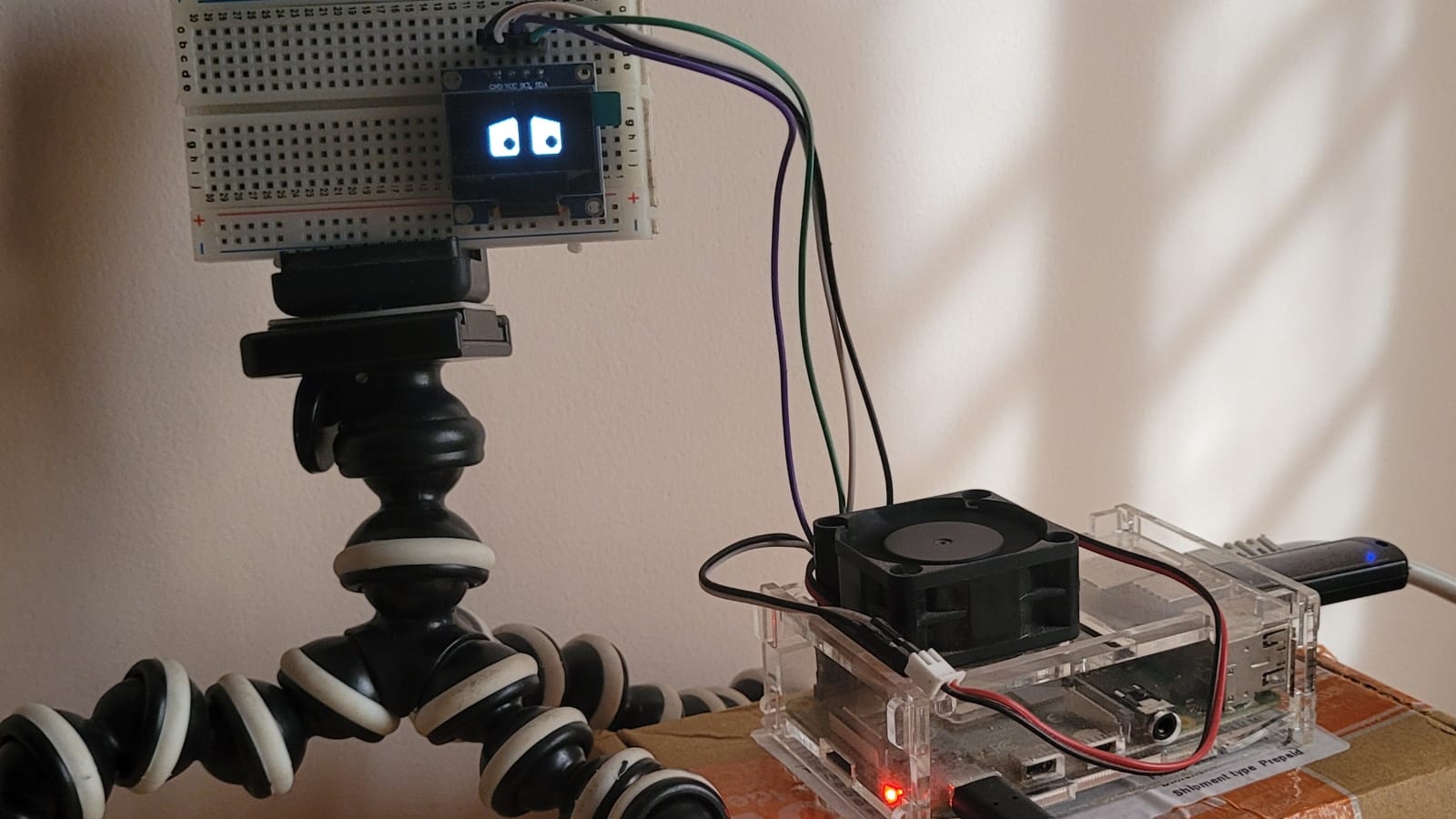
I wanted to give a robot a face. Not a screen playing a video loop — something alive. Eyes that blink on their own, squint when confused, and light up when happy. All on a $5 OLED display the size of a postage stamp.
RoboEyes is the animation engine I built to make that happen. It runs at 60 fps, smoothly interpolates between emotions, and exposes a REST API so any other system — gesture recognition, voice assistant, whatever — can control the face in real time.
Tech Stack
- Animation Engine: Python, PIL/Pillow for drawing, custom lerp-based state machine
- Display: SSD1306 128x64 I2C OLED (driven by
luma.oled) - Emulator:
luma.emulatorwith Pygame — develop on a laptop, deploy to Pi unchanged - API: Flask REST API running in a daemon thread
- Hardware: Raspberry Pi (any model with I2C)
How It Works
The core idea is simple: every frame, the engine interpolates the current eye state toward a target state. Change the target, and the eyes smoothly animate to the new look.
Each emotion is just a dictionary of numbers — eye width, height, and eight eyelid coverage values (inner/outer for each lid on each eye):
"HAPPY": {
    "w": 32, "h": 44,
    "lt_o": 0.0, "lt_i": 0.0, "lb_o": 0.82, "lb_i": 0.82,
    "rt_i": 0.0, "rt_o": 0.0, "rb_i": 0.82, "rb_o": 0.82,
    "cheeks": 1.0,
}
When you call eyes.set_emotion("HAPPY"), the engine sets this as the target. Every frame, each value lerps toward the target at a configurable speed. The result: smooth, natural-looking transitions between any two emotions with zero manual animation work.
The Dual-Environment Trick
This was one of my favourite design decisions. The entry point auto-detects the environment:
try:
    from luma.oled.device import ssd1306
    from luma.core.interface.serial import i2c
    device = ssd1306(i2c(port=1, address=0x3C))
except Exception:
    from luma.emulator.device import pygame as pygame_device
    device = pygame_device(width=128, height=64, mode="1")
On a Raspberry Pi with a connected OLED, it uses the real hardware driver. On my MacBook, it falls back to a Pygame window. The engine doesn't care — it just draws to a luma device. I do all my development and tuning in the emulator, then scp to the Pi and it just works.
Threading and the Animation Loop
Threading was the trickiest part. Here's the layout:
| Thread | Role |
|---|---|
| Main thread | Animation loop + Pygame event pump (required by macOS/SDL) |
| Flask daemon thread | Handles all HTTP requests |
Every piece of shared state is protected by a single threading.Lock. The Flask handlers call methods like set_emotion() and trigger_overlay(), which acquire the lock, update the target, and return. The animation loop picks up the change on the next frame.
I exposed both run() (blocking, for macOS) and start() (non-blocking background thread, for Pi) so the engine works cleanly in both environments.
REST API — Control Everything Over HTTP
The Flask API runs on port 5009 and lets you control the eyes with simple HTTP calls:
curl http://localhost:5009/emotion/HAPPY
curl http://localhost:5009/look/top-right
curl http://localhost:5009/overlay/text/HELLO
curl http://localhost:5009/blink
There's also a combined POST endpoint for setting multiple things atomically:
curl -X POST http://localhost:5009/api/robot \
     -H "Content-Type: application/json" \
     -d '{"emotion": "HAPPY", "overlay": {"text": "YAY!", "duration": 2}}'
This turned out to be the killer feature. My hand gesture recognition system running on the same Pi sends HTTP calls to change the robot's expression based on what it sees. The eyes become a dumb display — all the intelligence lives elsewhere.
The Overlay System
Sometimes you want the robot to "say" something. Overlays are full-screen takeovers: the eyes close, a message appears, then the eyes reopen.
eyes.trigger_overlay(TextOverlay("HELLO!", duration=2.0))
TextOverlay handles word-wrapping and auto-scales duration based on text length. There's also ScrollingTextOverlay for longer messages and IconOverlay for bitmap images. And if none of those fit, you subclass Overlay and draw whatever you want:
class MyOverlay(Overlay):
    duration = 1.5
    def render(self, draw, w, h):
        draw.rectangle((0, 0, w, h), fill="black")
        draw.text((w // 2, h // 2), "CUSTOM", fill="white", anchor="mm")
Extensibility — Make It Your Own
I designed RoboEyes to be subclassed. You can add custom emotions without touching the library code:
class MyRobot(RoboEyes):
    EXTRA_EMOTIONS = {
        "SLEEPY": {
            "w": 28, "h": 40,
            "lt_o": 0.45, "lt_i": 0.45, "lb_o": 0.0, "lb_i": 0.0,
            "rt_o": 0.45, "rt_i": 0.45, "rb_o": 0.0, "rb_i": 0.0,
            "cheeks": 0.0,
        },
    }

    def __init__(self, device):
        super().__init__(device, extra_emotions=self.EXTRA_EMOTIONS)
Custom directions, pupil shapes (square, round, ellipse), and auto-mode behaviour are all configurable the same way.
Challenges and Lessons
Tuning eyelid values by hand is tedious. Each emotion has 10 numeric parameters. I ended up building a small editor workflow — tweak values, watch the emulator, repeat. A visual editor would be a huge quality-of-life improvement.
macOS and Pygame threading. SDL requires the event pump on the main thread on macOS. This forced me to split run() and start() and make sure Flask never touches the main thread. Easy in hindsight, confusing to debug the first time.
Lerp speed matters. Too fast and transitions look robotic (ironic). Too slow and the face feels laggy. I settled on 0.35 as the default — fast enough to feel responsive, slow enough for the animation to read.
What's Next
I'm working on integrating this with a camera-based gesture recognition system so the robot reacts to hand signals in real time. I also want to add a web-based emotion editor so designing new expressions doesn't require manually editing dictionaries. And eventually, audio-reactive expressions — the eyes respond to sound input, not just API calls.