Home Server (The Hub)
How I replaced paid cloud services with a Raspberry Pi 4, Docker, and 1TB of storage running 24/7 in my living room.
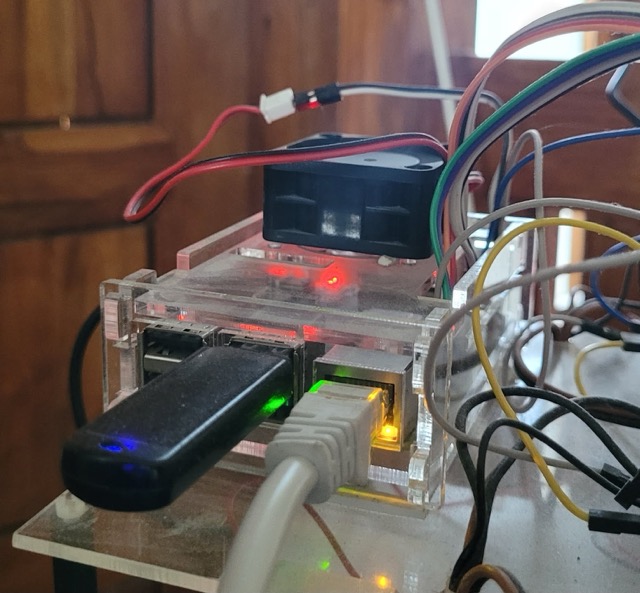
I always wanted to run a server at home, some of the reasons was to
- learn and experiment with technology.
- I also wanted to have a place to store my files, run my own services.
- I wanted to have a place to host my own website, which solves some simple problems.
I started with a Raspberry Pi, which i was already familiar with. It was a great way to get started, as it was cheap and easy way to own a server. First I experimented with some of the options. Like running different OS, running docker containers with my existing applications I build.
I had some of the projects in mind already, like
- A NAS(Network Attached Storage) to store my files, photos and movies. which can be accessed form anywhere unless i am connected to home network.
- A web server to convert
- PDF files to images, and resize
- Image compress images.
- A Photo gallery to store and view my photos. To alternative to Google Photos which is full already.
- Some home automation projects, with combining using ESP32.
Guess what, I was able to run all of these projects on my Raspberry Pi. It was a great learning experience, and I was able to learn a lot about IOT, networking, and web development. And also other products link GITHub runners, docker, Proxy servers, etc.
For the NAS, I used OpenMediaVault which is a free and open-source NAS solution based on Debian Linux. It was easy to set up and use, and it had all the features I needed. I was able to access my files from anywhere, and I could also share them with my friends and family. Wait one interesting feature with this NAS i also added a Torrent client. Well will go in details about it in another post.
This was a start of my home server journey.
The Tech Stack
- Hardware: Raspberry Pi 4 (4GB RAM) + 1TB HDD
- OS: Raspberry Pi OS (Debian Bullseye)
- Core Services: OpenMediaVault (NAS), Docker, Nginx (Reverse Proxy)
- Apps: Plex, GitHub Actions Runner, Home Automation Scripts
- Networking: Static IP, SSH Key Auth, Port Forwarding
What's Running (The "Production" Env)
This isn't just a toy; if this goes down, I lose access to my files.
- NAS (OpenMediaVault): The backbone. 1TB of storage accessible via SMB and NFS.
- Media Center (Plex): Streams 1080p content to my TV. The Pi 4 handles direct play perfectly, though transcoding 4K makes it sweat.
- Dev Environment:
* GitHub Self-Hosted Runner: My Pi actually runs CI/CD pipelines for my other repos.
* Docker: Isolated containers for testing apps before deploying them to the cloud.
- Utilities:
* PDF Tools: A local microservice I wrote to merge/split PDFs because online tools are sketchy with privacy.
* Image Compression: Batch processes photos before archiving.
What I Learned
- Linux is robust: Once you configure systemd services correctly, they just run. Forever.
- Security matters: Exposing ports meant I had to harden SSH (keys only, no root login) and set up
fail2ban. - Backups are key: RAID is not a backup. I have a cron job that rsyncs critical data to a secondary drive.